
Claude Halves Five-Hour Usage When You Make Docs, Slides, or Designs, Through October 15
A two-week Claude promotion: when Claude creates a doc, slides, or a design, the work that follows uses 50% less of your five-hour session limit. It applies to Pro, Max, and Team plans. The weekly limit is unchanged.
By Nattapon YongpaiboonCo-founder, Claude Thailand Community
Claude is running a usage promotion. When you have Claude make a doc, slides, or a design, your messages use 50% less of your five-hour session limit. It runs for two weeks and applies automatically, with no code to enter and no setting to turn on.
The actual terms on the support page
- Only the five-hour session limit is discounted. Your weekly usage limit counts as usual.
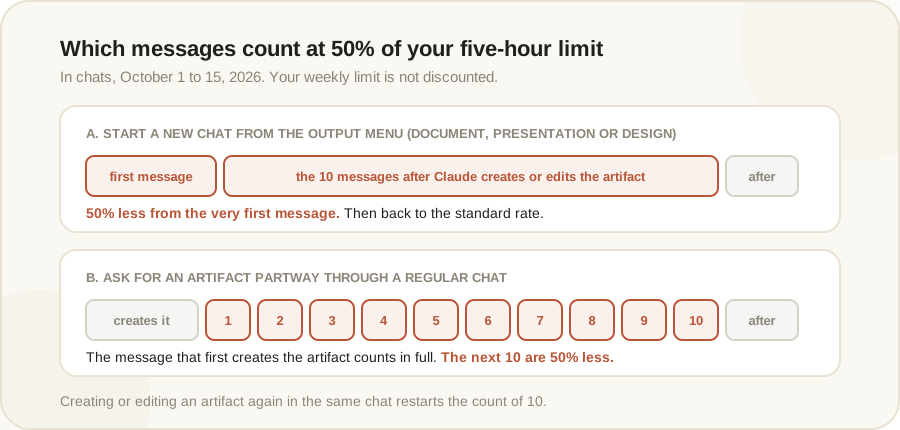
- The next 10 messages are discounted after Claude creates or edits an artifact (a piece of work Claude builds in the chat, such as a doc or slides). After 10 messages, the standard rate applies until Claude creates or edits an artifact in that chat again.
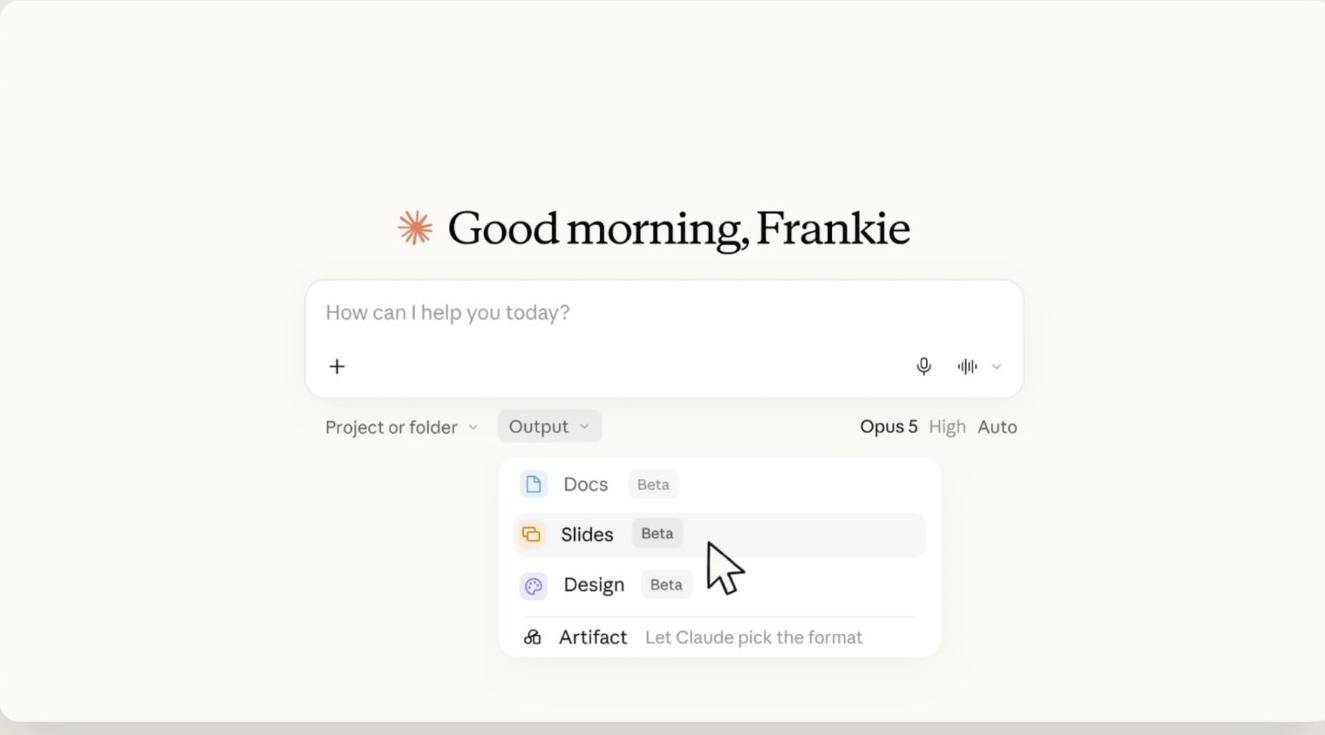
- If you start a new chat by choosing Document, Presentation, or Design from the Output menu, the discount applies from your first message.
- It applies to Pro, Max, and Team plans in the Claude app (web, desktop, mobile) and in Cowork. It doesn’t include Free, Enterprise, Claude Code, or the API.
- It ends on October 15, US Pacific time, which is the afternoon of October 16 in Thailand (1:59 PM).
More details worth knowing
- Asking mid-chat means the first message counts in full. If you’ve been chatting and then ask Claude to create something, the message where Claude first creates the artifact counts at the standard rate, and the discount starts with your next 10 messages. To get the most out of it, start a new chat from the Output menu.
- There’s a limit within a single reply too. When Claude answers a message, it works in steps, such as running a search, using a tool, or updating the artifact. Only the first 15 steps of each reply are discounted. Further steps count at the standard rate.
- In Cowork, only cloud tasks qualify. Tasks that run locally in Claude Desktop don’t. If you start a new task by choosing Document, Presentation, or Design, the discount covers about the first 45 minutes. In other tasks, up to the next 80 steps after Claude creates or edits an artifact can be discounted.
- If you’ve turned on usage credits, any message that draws on credits is billed at the standard rate.
Beyond Claude Code and the API, the promotion also excludes Claude in Slack, scheduled or unattended tasks, artifacts made with the earlier version of artifacts, Google Docs, Sheets, or Slides made through the Google Drive connector, and work in the standalone Claude Design app. Designs you make by choosing Design from the Output menu in a chat or Cowork task are included.
The promotion started on October 1 at 11:00 AM Pacific time, which was 1:00 AM on October 2 in Thailand. Anthropic notes it may change or end the promotion early.
Editor’s take
In short, this helps people who often hit the five-hour limit while making slides or documents. If your problem is running out of weekly usage, it won’t help. Claude’s announcement says broadly that the work uses 50% less of your usage limits, so it’s worth reading the terms on the support page alongside it: the discount affects the five-hour limit only.
The announcement suggests trying it with Sonnet 5.5, saying it has a strong eye for design and builds slides that need minimal editing. If you haven’t used the Output menu that arrived when Cowork merged with chat, this is a good time to try it.
The information in this article is based on Claude’s official support page at support.claude.com. Read the full terms in the link below.
Get it by email
New articles, Claude updates and community event announcements. Sent occasionally, never often enough to annoy you.
The newsletter is written in Thai