
Claude Code adds a new "Concise" output style that leads with the result
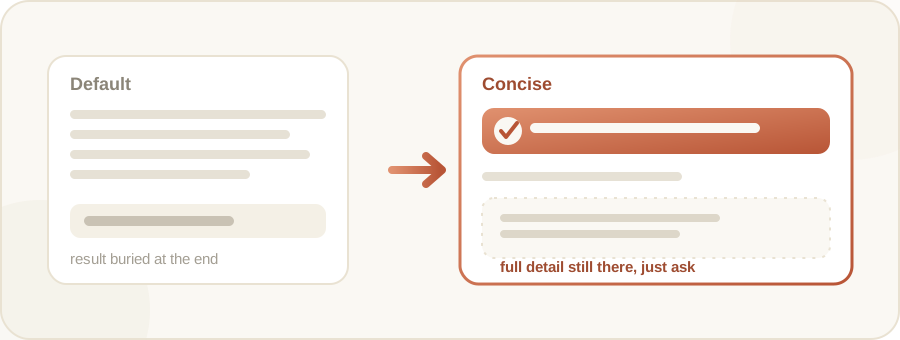
Claude Code adds a new output style called Concise, which leads with the result and keeps responses short, while still giving full detail when you ask. Turn it on via /config or settings.json.
By Nattapon YongpaiboonCo-founder, Claude Thailand Community
What’s changing
ClaudeDevs, Anthropic’s official account for developers, announced on 20 August 2026 that Claude Code now has a new output style called Concise.
Per the announcement, Claude leads with the result first, keeps responses short, and still gives full detail when you ask for it. The feature landed in version 2.1.237, and the changelog describes it as skipping preamble and narration while doing the work just as thoroughly.
The output styles that already existed
Claude Code already had four output styles to pick from. Default is the original system prompt, built to get software engineering tasks done efficiently. Three more were added later:
- Proactive: Claude executes immediately, makes reasonable assumptions instead of pausing for routine decisions, and prefers action over planning.
- Explanatory: adds educational “Insights” while working, helping you understand implementation choices and codebase patterns.
- Learning: a collaborative, learn-by-doing mode that also asks you to contribute small pieces of code yourself, marked with
TODO(human).
Concise is the fifth style, and the newest one.
How to turn it on
Two ways to enable it:
- Run
/config, then select Output style and pick Concise from the menu. Claude Code saves this to.claude/settings.local.jsonautomatically. - Set it directly in a settings file with
"outputStyle": "Concise".
An output style change takes effect after /clear or the start of a new session, since it’s part of the system prompt Claude Code reads once at session start.
The writer’s take
I think this solves a real annoyance for anyone who just wants the result and finds the long explanations tedious. What I like is that it doesn’t drop any information, it just stops volunteering it unless you ask. Ask for more and you still get the full explanation. This should make output noticeably easier to scan, especially when you’re firing off commands back to back.
Details in this article come from the ClaudeDevs account on X (Twitter), published 20 August 2026, together with Claude Code’s official changelog (version 2.1.237) and Anthropic’s output styles documentation. Read the original post via the source link below.
Get it by email
New articles, Claude updates and community event announcements. Sent occasionally, never often enough to annoy you.
The newsletter is written in Thai