
Claude can now use your computer in the background, in Cowork and Claude Code
Anthropic launched a beta for background computer use in Claude Cowork and Claude Code, so you no longer have to hand over your whole screen. Rolling out to Pro and Max on macOS 15 and up first.
By Nattapon YongpaiboonCo-founder, Claude Thailand Community
Anthropic announced a beta letting Claude use your computer in the background, in Claude Cowork and Claude Code in the desktop app.
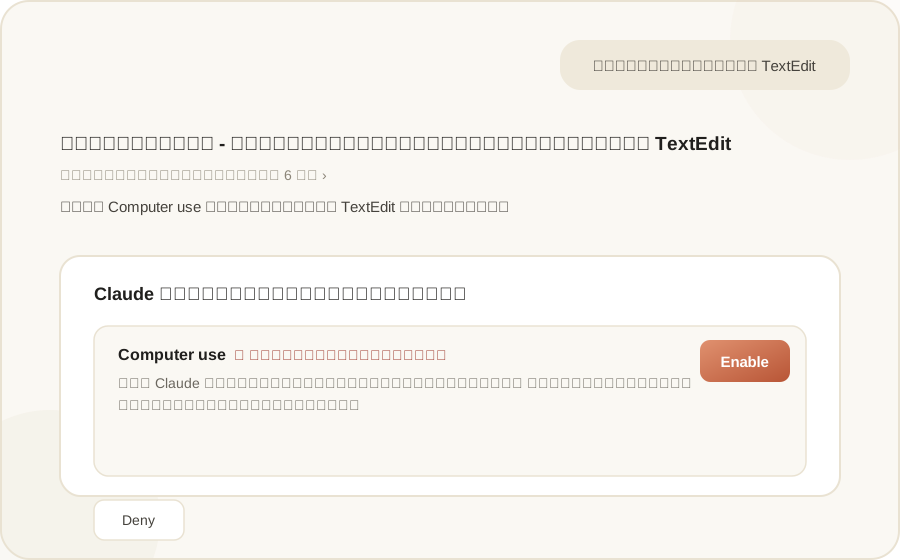
What’s different from regular computer use
The key difference from the older full-screen Computer use mode is that you no longer have to hand over your entire screen. Give it a task and Claude clicks, types, and opens apps on its own, while you keep working on something else at the same time. Per Claude’s official help documentation, this mode doesn’t take over your pointer or keyboard, and it generally waits if you’re in the middle of typing.
It’s currently in beta for Pro and Max plans only. Turn it on at Settings > General > Computer use in the desktop app. Background mode is supported only on macOS 15 and up; Windows currently only has the older full-screen Computer use mode, with no background option yet.
The order Claude picks a method
Per Anthropic’s documentation, Claude follows this priority when completing a task:
- Connectors first (Gmail, Google Drive, Microsoft 365, Slack), since they’re the fastest and most reliable path
- If no connector exists, it falls back to the built-in browser or Claude in Chrome
- Computer use is the last resort, for apps with no integration available
Access permissions and security
Claude has to request permission app by app before accessing anything, with some apps blocked by default, like investment/trading and cryptocurrency platforms, and users can add their own custom blocklist on top.
There’s an action review system that scans for signs of prompt injection (malicious instructions hidden on screen that trick Claude into acting on them unintentionally), though the documentation states plainly that this safeguard isn’t perfect.
The thing to watch for: Claude has to take screenshots to figure out what to do next, meaning it sees everything visible on screen at that moment, including personal data or confidential documents left open. The documentation recommends closing anything sensitive before turning this feature on.
Writer’s take
Personally, I think this feature is really convenient for work involving apps that don’t have a Connector to plug into. But the real thing to watch out for is exactly that screenshot issue — before turning it on, check whether you’ve got anything open on screen right now that you wouldn’t want it to see.
Has anyone in the community tried this background mode yet?
Details in this article come from the Claude AI account’s announcement on X (Twitter) and Claude’s official help documentation at support.claude.com. Read the originals via the links below.
Get it by email
New articles, Claude updates and community event announcements. Sent occasionally, never often enough to annoy you.
The newsletter is written in Thai