Claude Artifacts Can Now Be Installed as Apps on Mac and Windows, With Their Own Windows and Icons
Claude now lets you install artifacts as desktop apps on Mac and Windows, in beta. Describe the app to Claude, try it as an artifact, then click Install as app to get an app with its own window and icon. It can use your connectors and, if you allow it, send notifications. There is nothing to package or sign.
By Nattapon YongpaiboonCo-founder, Claude Thailand Community
You can now install Claude artifacts as desktop apps on Mac and Windows, in beta.
Describe your app to Claude, try it as an artifact, then click Install as app. You get an app with its own icon and window that you open like any other app, without going through Claude.
An example: a space junk tracker
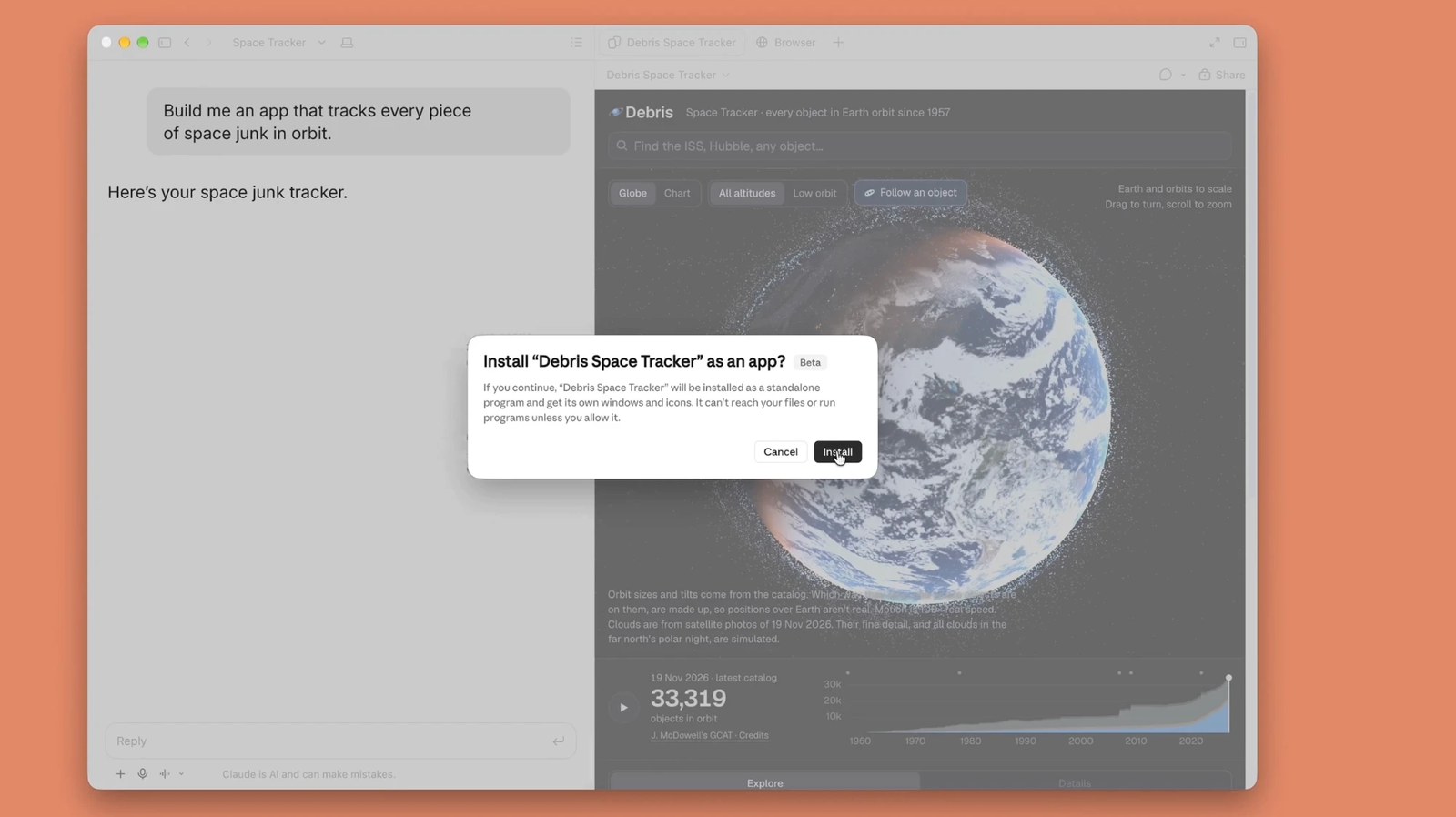
In this frame from Anthropic’s video, the user asks Claude for an app that tracks every piece of space junk in orbit, then installs the artifact as an app. The confirmation says the app becomes a standalone program with its own windows and icons, and can’t reach your files or run programs unless you allow it.
How to install
- Update Claude for Mac or Windows
- Open an artifact you use every day
- Choose Install as app from the Share menu
There’s nothing to package or sign, and no API key to set up, because the app uses your Claude account.
What installed apps can do
- Use Claude and your connectors through your account, such as a meeting-prep page that pulls from your calendar and email
- Send notifications, if you allow it
- Add a menu bar item (Mac) or system tray item (Windows), if you allow it
- Update automatically when the underlying artifact is edited
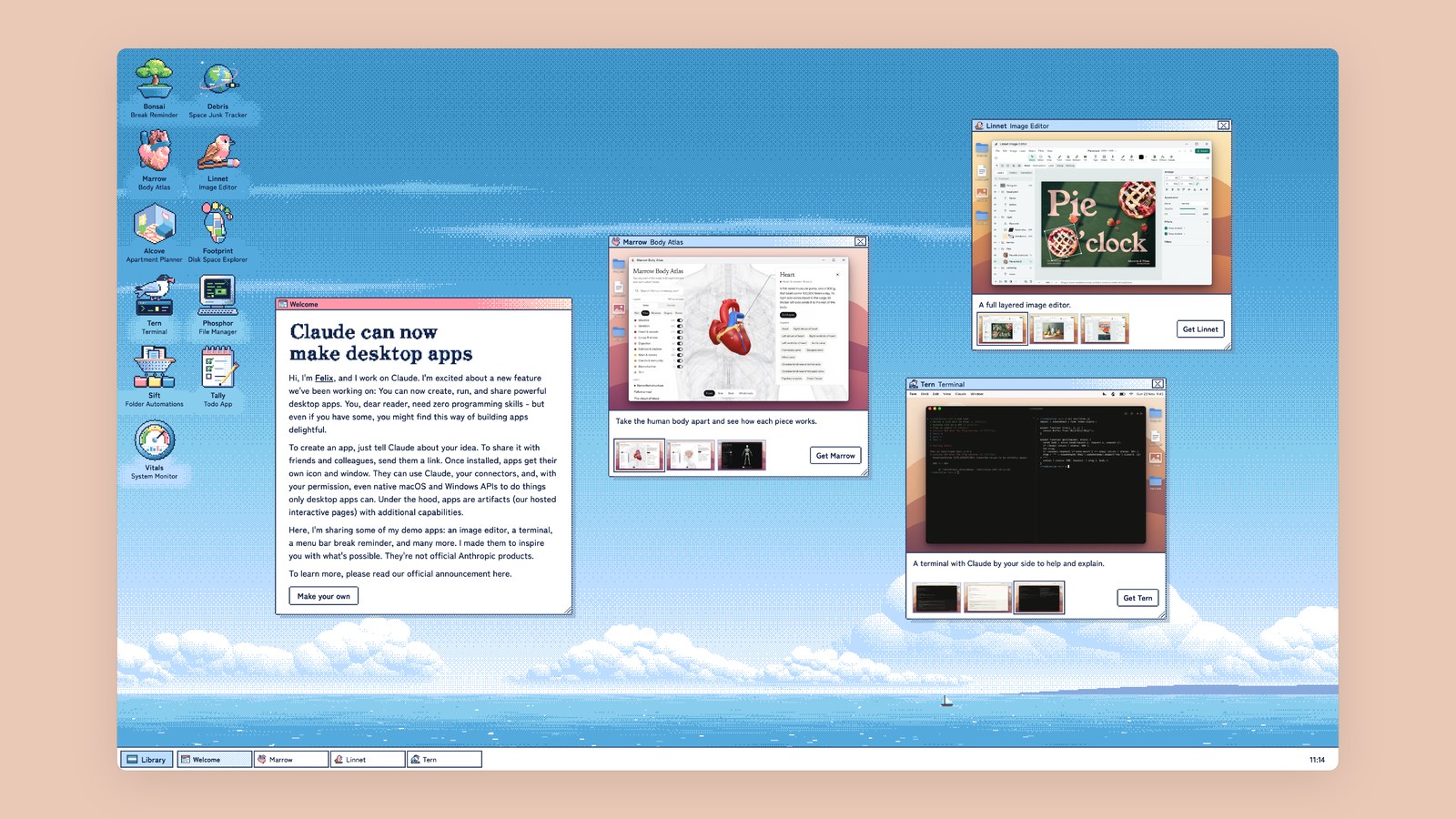
The image above shows demo apps that Anthropic staff built as artifacts, such as Linnet, an image editor; Phosphor, a file manager; Sift, which organizes folders with rules and Claude; Tern, a terminal with Claude; and Vitals, a performance monitor in the menu bar.
Three permission levels
| Level | What the app can do |
|---|---|
| Default | Only what it could do in a browser |
| App permissions | Ask for features Claude tightly controls, such as always-on-top windows, global shortcuts, and notifications |
| Full computer access | Run programs and read, change, or delete your files without asking each time |
- You choose how much to allow, app by app
- Full computer access is only for apps you made, or, on Team and Enterprise, apps made by people in your organization
- Anthropic doesn’t review apps before install, so give full access only to apps you trust
- Claude asks again after every update, even your own edits
- If part of an app loads from another website, that part can change without Claude asking again
Who can use it
- All plans, in beta, in Claude for Mac and Windows
- Team: on by default, with full access off
- Enterprise: off until an owner turns it on
- Not available for HIPAA-ready organizations or hybrid deployments
Good to know
- Building the app and any requests it makes to Claude count toward your plan’s usage limits
- You need to be online and signed in to Claude to open an app
- Some artifacts can’t be installed, including Claude Docs, Slides, and Sheets
- You can share apps with others
Get it by email
New articles, Claude updates and community event announcements. Sent occasionally, never often enough to annoy you.
The newsletter is written in Thai