
Claude Introduces Personal Finance: Connect Your Bank Accounts and Ask About Your Money, in Beta in the US
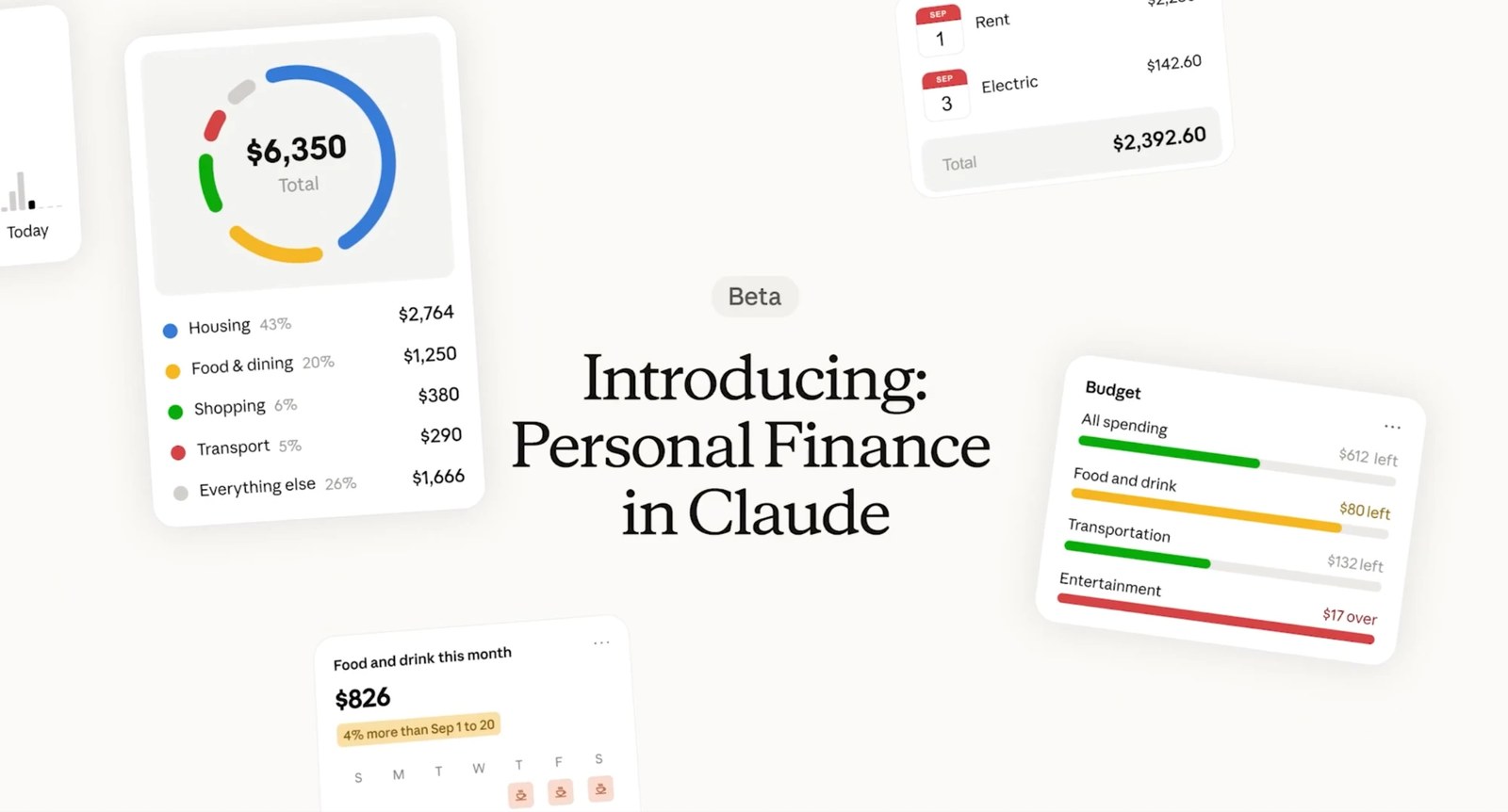
Anthropic has introduced Personal Finance in Claude. Connect bank and card accounts through Plaid and ask about your money in everyday language. Access is read-only, Claude cannot move or invest your money, there are no ads, and it is not designed to give investment advice. It is in beta in the US on the Pro, Max, and Ultra plans.
By Nattapon YongpaiboonCo-founder, Claude Thailand Community
Anthropic has introduced Personal Finance in Claude. You connect the bank and card accounts you choose, then ask about your money in everyday language, and Claude answers from your real balances and transactions.
It is in beta in the US only, on the Pro, Max, and Ultra plans, and is rolling out gradually. It is not yet available to users in Thailand.
What you can do with it
- See spending by category across all your connected accounts, compared with previous months
- Check upcoming bills due before payday and what will be left
- Spot anything unusual, such as duplicate charges, unexpected fees, or bills that keep going up
- Understand financial terms, such as APR, then total the interest you have been charged
- Build charts, calendars, and dashboards, such as weekly spending charts or a calendar of due dates, and keep adjusting them
- Ask planning questions, such as whether you can afford a trip or how much you could save each month
An example conversation
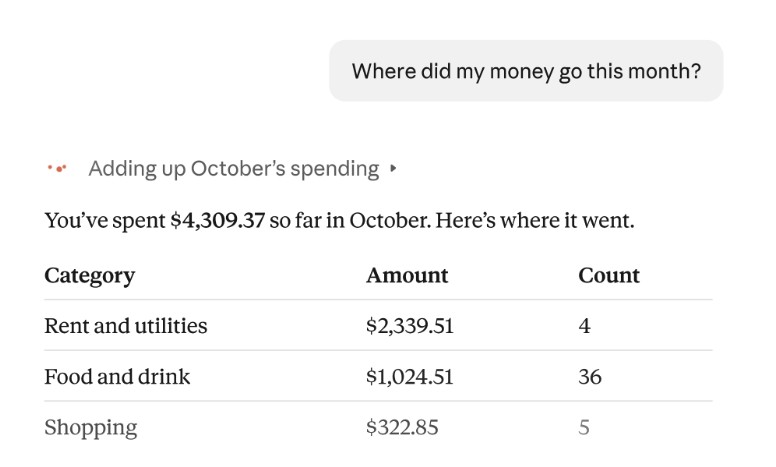
This example from Anthropic uses made-up data. Say it’s late in the month and payday is still days away. You start by asking where your money went this month, and Claude adds up the month’s spending by category.
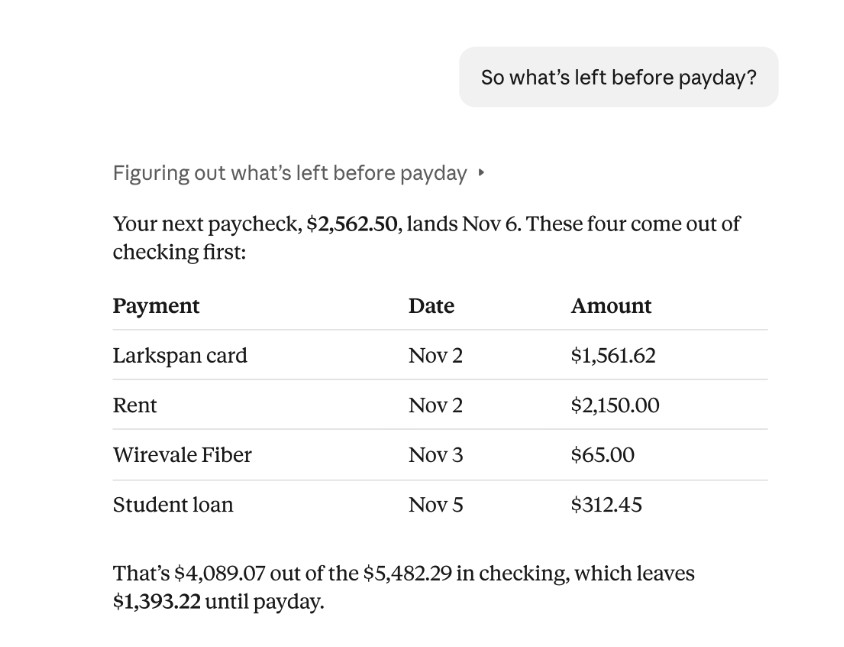
Then you ask what’s left before payday. Claude gives the date of your next paycheck, lists the payments that will come out of your checking account before then, and works out what remains.
How to connect accounts
Accounts connect through Plaid, a service that links apps to banks. You sign in to your bank on Plaid’s screen and choose which accounts Claude can see. Claude never gets your bank password.
According to the Claude Help Center:
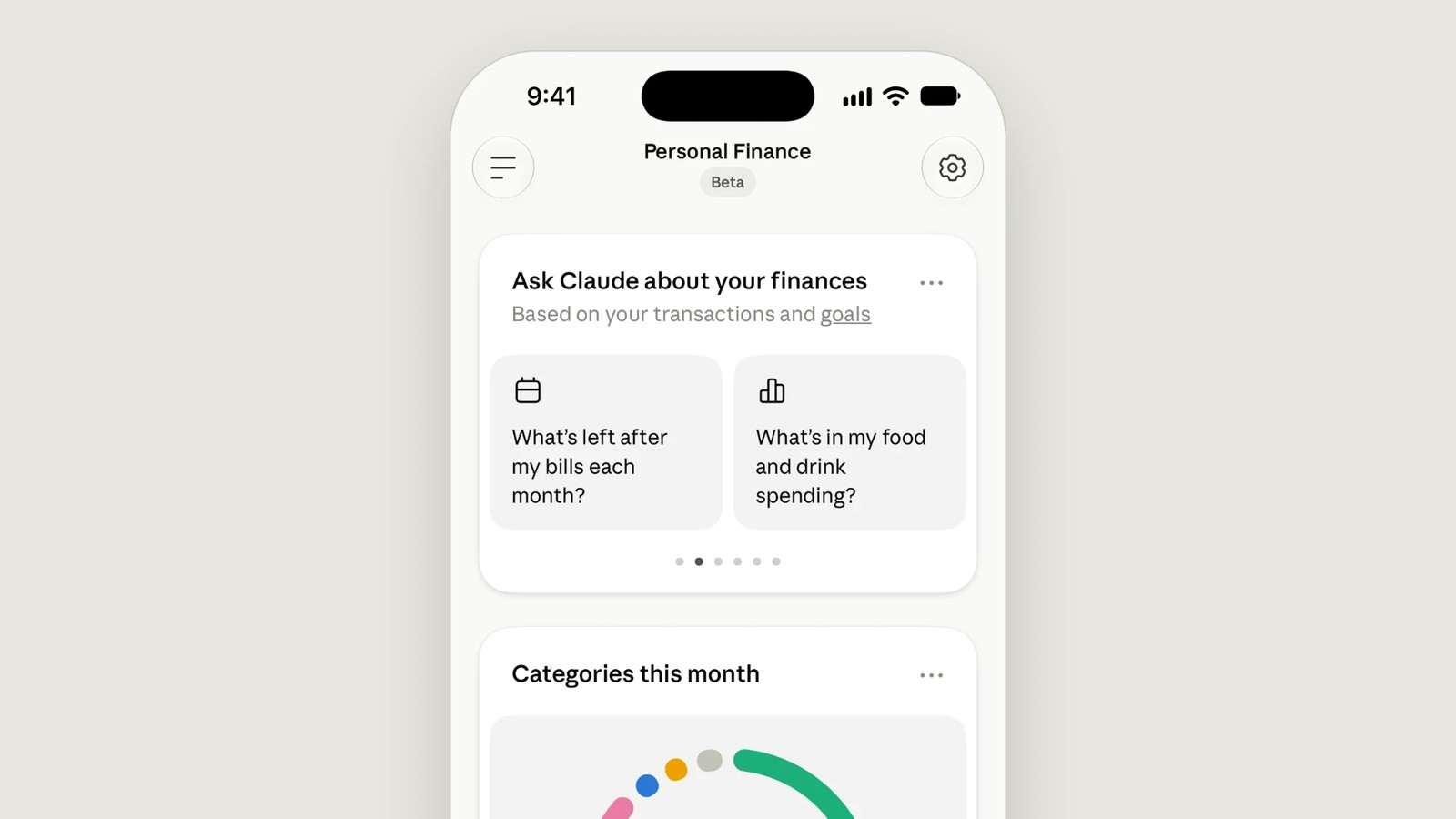
- Open Personal Finance from the side menu and select Link accounts with Plaid
- You can link up to 16 banks, US banks only
- It works on the web, the desktop app, and the iOS and Android apps
What Claude sees, and what it can’t do
What Claude sees, for connected accounts only:
- The bank name, account name, type, and last four digits of the account number
- Balances and credit limits
- Up to two years of transactions
- For loan, credit card, and investment accounts, only balances and limits, not holdings or trades
What Claude can’t do:
- Access is read-only. Claude can’t move, manage, or invest your money
- It isn’t designed to give investment advice. It helps you understand your own money
- No ads or sponsored recommendations, and Anthropic doesn’t offer credit cards, loans, or savings accounts of its own
Privacy
- Not used for training. Conversations in the Personal Finance hub aren’t used to train models. Chats outside the hub follow your own privacy settings
- Kept out of memory. Chats that use your account data are designed not to be saved to memory or be searchable later
- Disconnect any time. Once you unlink a bank, Claude can no longer read it, but what Claude already said stays in chats, artifacts, and shared links until you delete them
- Not available everywhere. Linked accounts can’t be used in Cowork, Claude Code, or scheduled tasks
Things to watch for
- Claude can make mistakes. Anthropic suggests asking which transactions a number comes from and checking important figures with your bank
- Balances can be a day or two old
- Accounts you haven’t connected aren’t counted, so a budget can look better than your real position
What’s next
Anthropic calls Personal Finance a first step, and says it is exploring how Claude could work alongside licensed professionals and regulated firms for larger financial decisions.
See also the Max and Ultra plan rename.
Get it by email
New articles, Claude updates and community event announcements. Sent occasionally, never often enough to annoy you.
The newsletter is written in Thai