
Claude Introduces Claude Meetings: Add Claude to Your Video Call to Answer Questions, Build Docs, and Take Notes
Anthropic has introduced Claude Meetings, which lets Claude join a video call as a visible participant, answer questions out loud or in chat, build docs and whiteboards during the meeting, and leave notes, action items, and a transcript afterward. It starts with Google Meet, in beta on Team and Enterprise plans.
By Nattapon YongpaiboonCo-founder, Claude Thailand Community
Anthropic has introduced Claude Meetings. Add Claude to your team’s video call, and it builds docs, whiteboards, and other artifacts with you while you’re still talking.
It is starting to roll out in beta on Team and Enterprise plans, beginning with Google Meet. Support for other video conferencing platforms is coming soon.
Claude joins as a visible participant
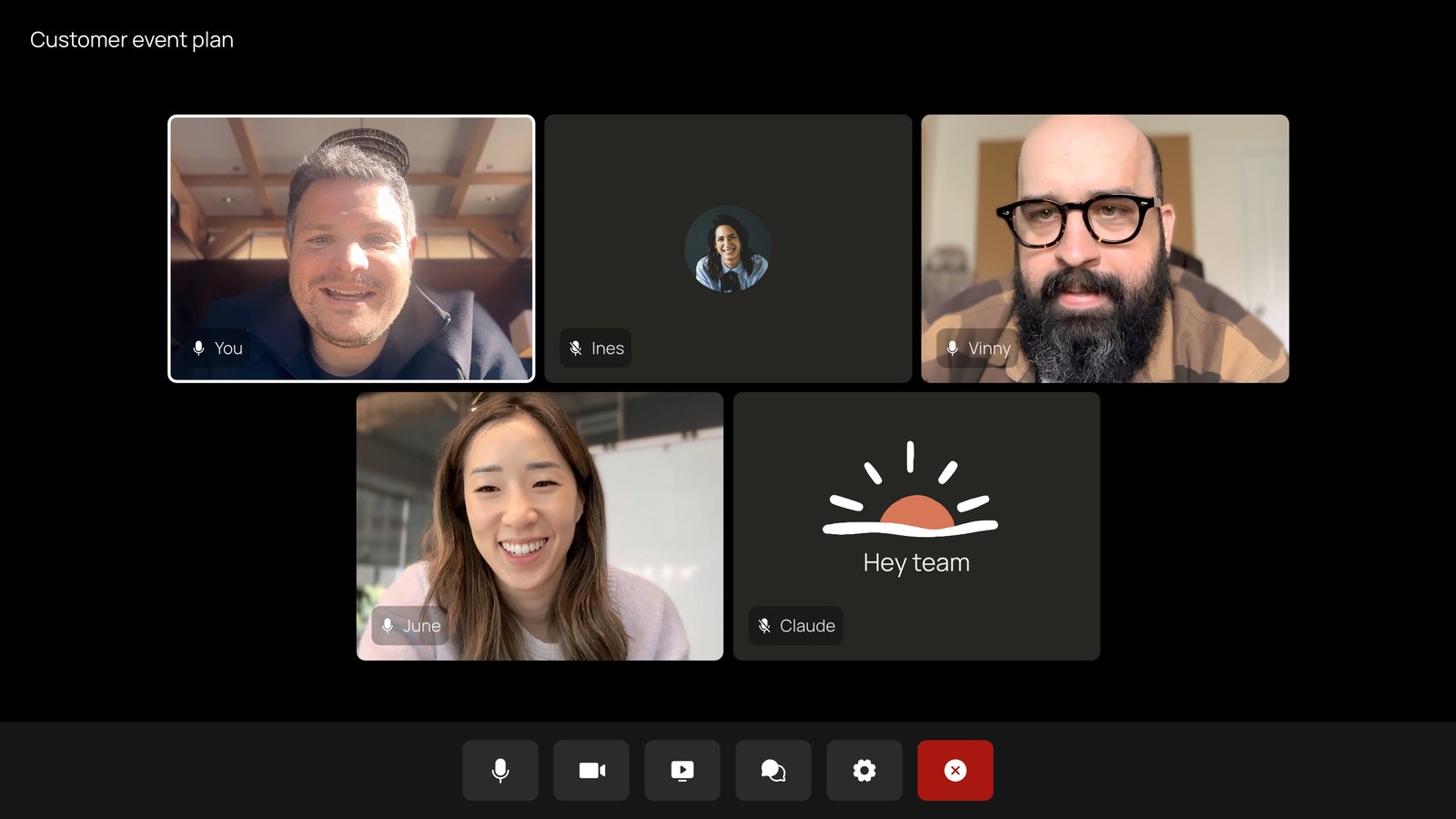
Someone on the team adds Claude to a meeting, or you can turn on auto-join. You can also add Claude to an upcoming meeting from your calendar in claude.ai.
- Team plans: inviting Claude is on by default, and admins can turn it off
- Enterprise plans: an admin enables it for all or part of the organization
When Claude joins, it posts a notice in the call’s chat and appears as a participant, so everyone knows it’s there.
Ask out loud or in chat
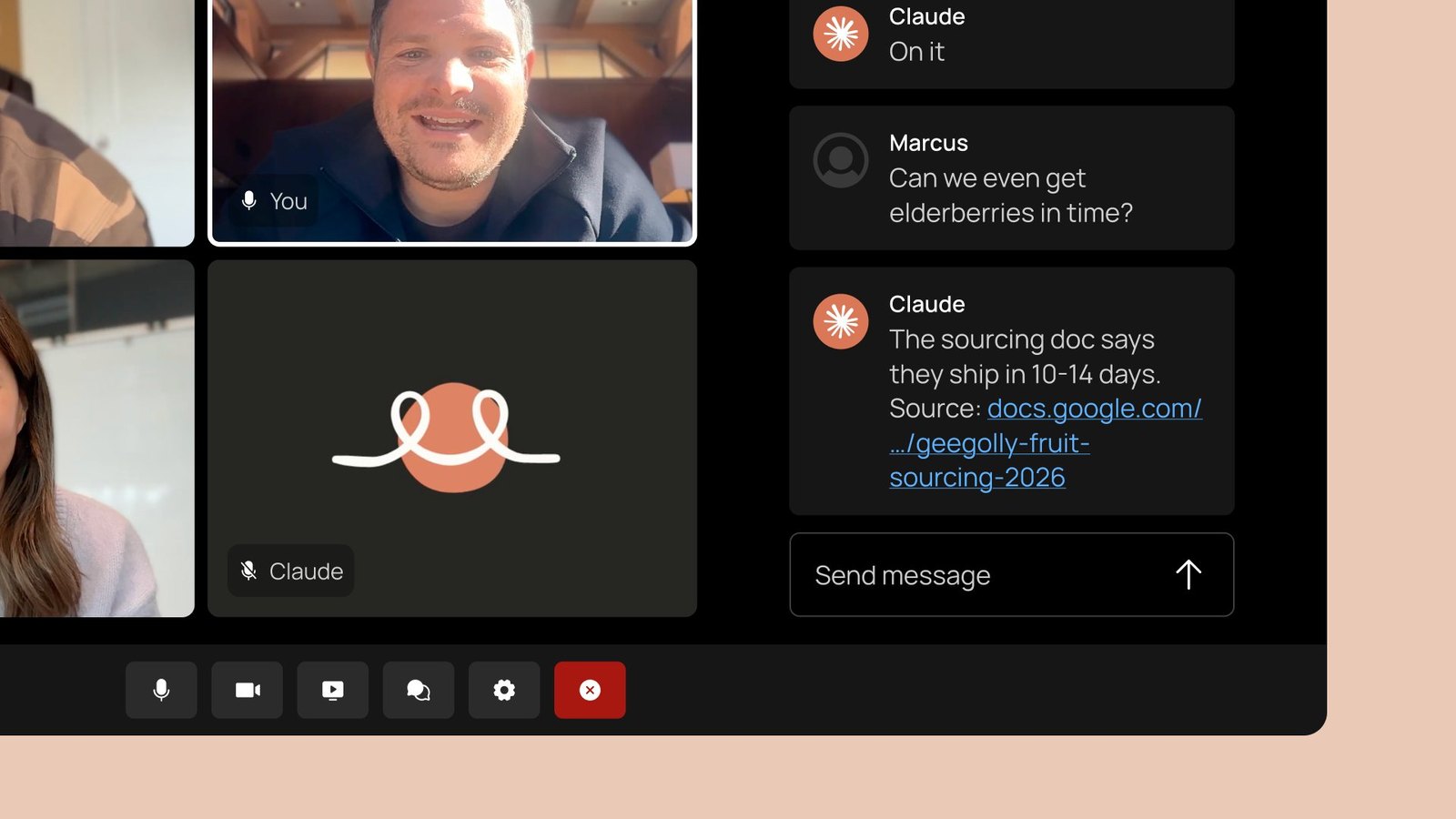
- Ask a question out loud or in the call’s chat. By default, Claude answers in writing
- Use your connected tools, with each person’s permission. Claude asks the first time and remembers your answer. Spoken requests currently need confirmation each time
Build docs and whiteboards during the meeting
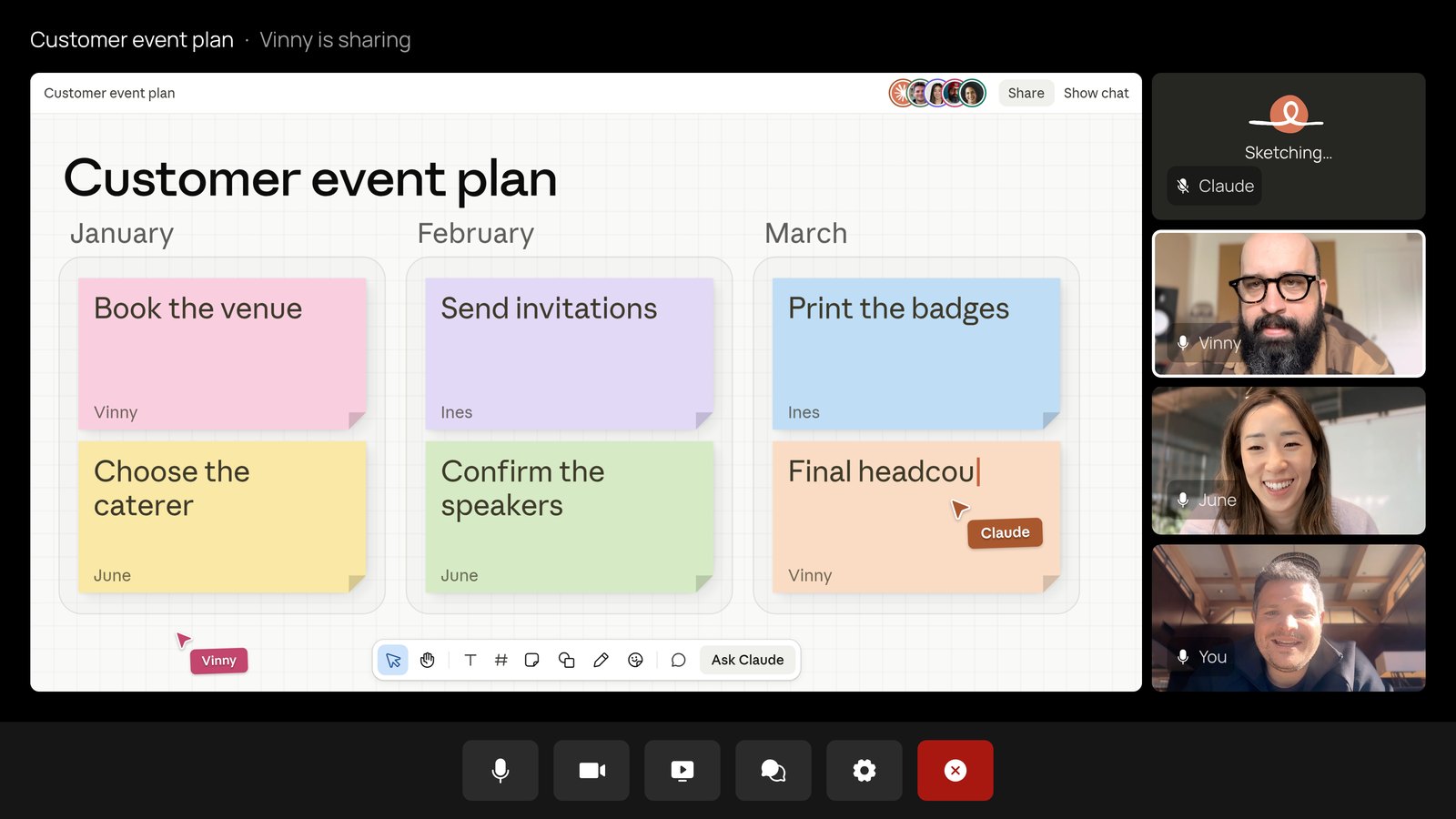
Say “Claude, start a doc for this plan,” and Claude builds a doc, a whiteboard, or another artifact on the spot. Invited teammates can see what Claude is building and edit it as it takes shape.
After the call, everything is on the meeting’s page
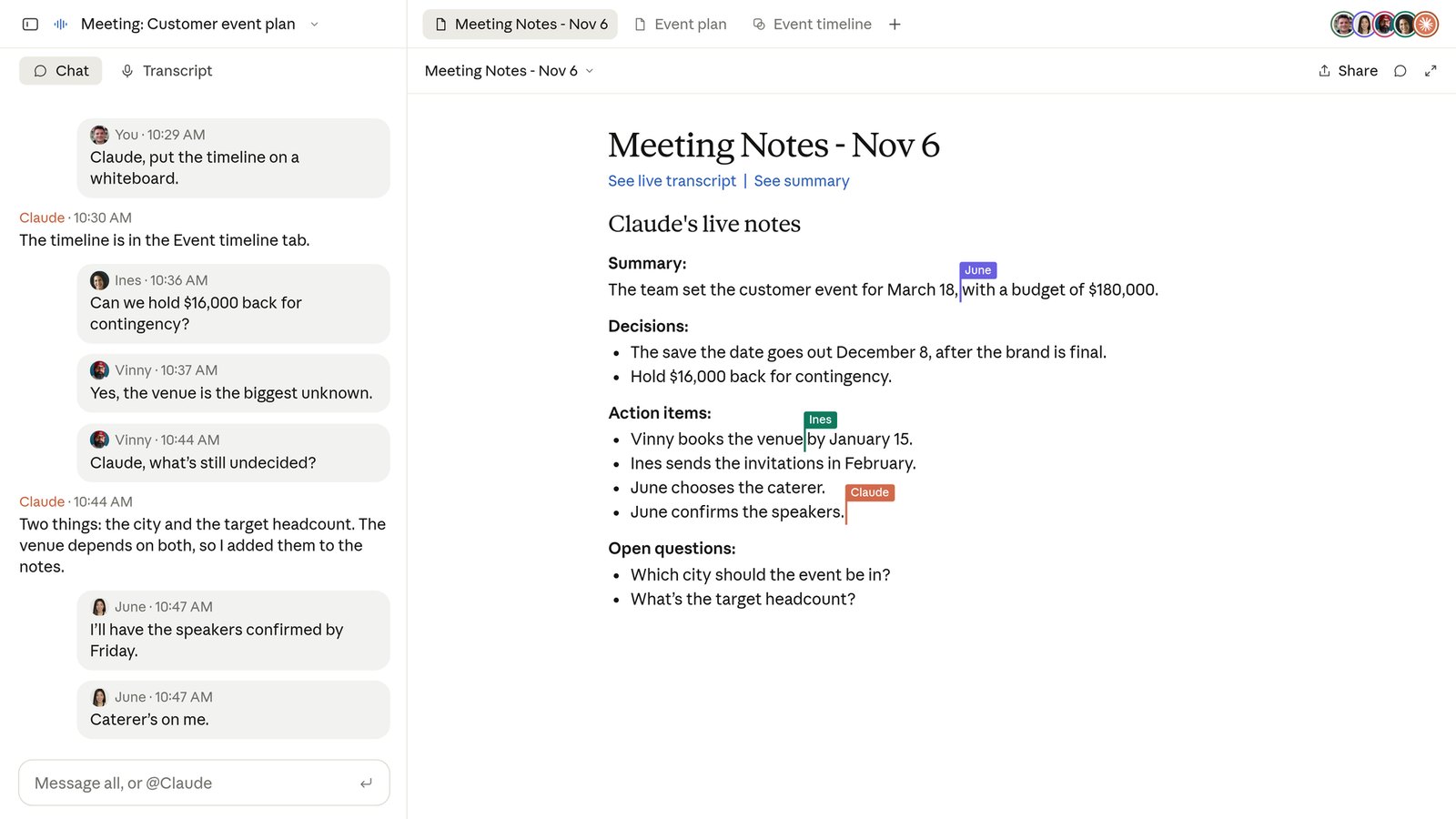
Claude takes the notes and action items, so no one on the call has to, and can share a recap with the team before the meeting ends.
After the call, the notes, action items, plan, transcript, and whiteboard are on the meeting’s page in claude.ai. People in the organization who were invited can view and edit them, and share the page inside the organization.
Anthropic says you’ll soon be able to send transcripts to other tools through partners such as Gong, Attention, Granola, Fireflies.ai, Otter, and Plaud.
Privacy
- Text, not audio. Claude saves a transcript, a summary, and descriptions of what’s on screen, not the audio
- No outside guests by default. Claude stays out of calls with guests from outside the organization, and leaves if one joins. Admins can allow it, but Claude then won’t reply in chat, and guests’ words are included in the notes and transcript
- Get everyone’s consent. Anthropic recommends making sure everyone on your calls is OK with being transcribed
Cost during the beta
- Notes and transcripts are free on Team and Enterprise
- Claude’s answers are free, unless they use a connected tool, which counts toward your plan’s usage
- Docs, whiteboards, and other artifacts are free through February 10, 2027
During the beta, it isn’t available to some organizations, including those with Zero Data Retention (ZDR), a HIPAA-ready configuration, or customer-managed encryption keys (CMEK).
Setup steps are in the Claude Help Center.
Get it by email
New articles, Claude updates and community event announcements. Sent occasionally, never often enough to annoy you.
The newsletter is written in Thai