
Claude Code in the Desktop App Now Supports Themes: Describe One and Claude Builds the Mod
Claude Code in the Desktop app now supports themes, including a backdrop behind the conversation and the app colors. Tell Claude what you want, and it writes a mod and loads it. Themes work in local sessions today, with cloud sessions coming soon.
By Nattapon YongpaiboonCo-founder, Claude Thailand Community
Claude Code in the Desktop app now supports themes. A theme is a mod that can change both the backdrop behind the conversation and the colors of the Code tab.
The easiest way is to tell Claude what theme you want, and Claude writes the mod and loads it.
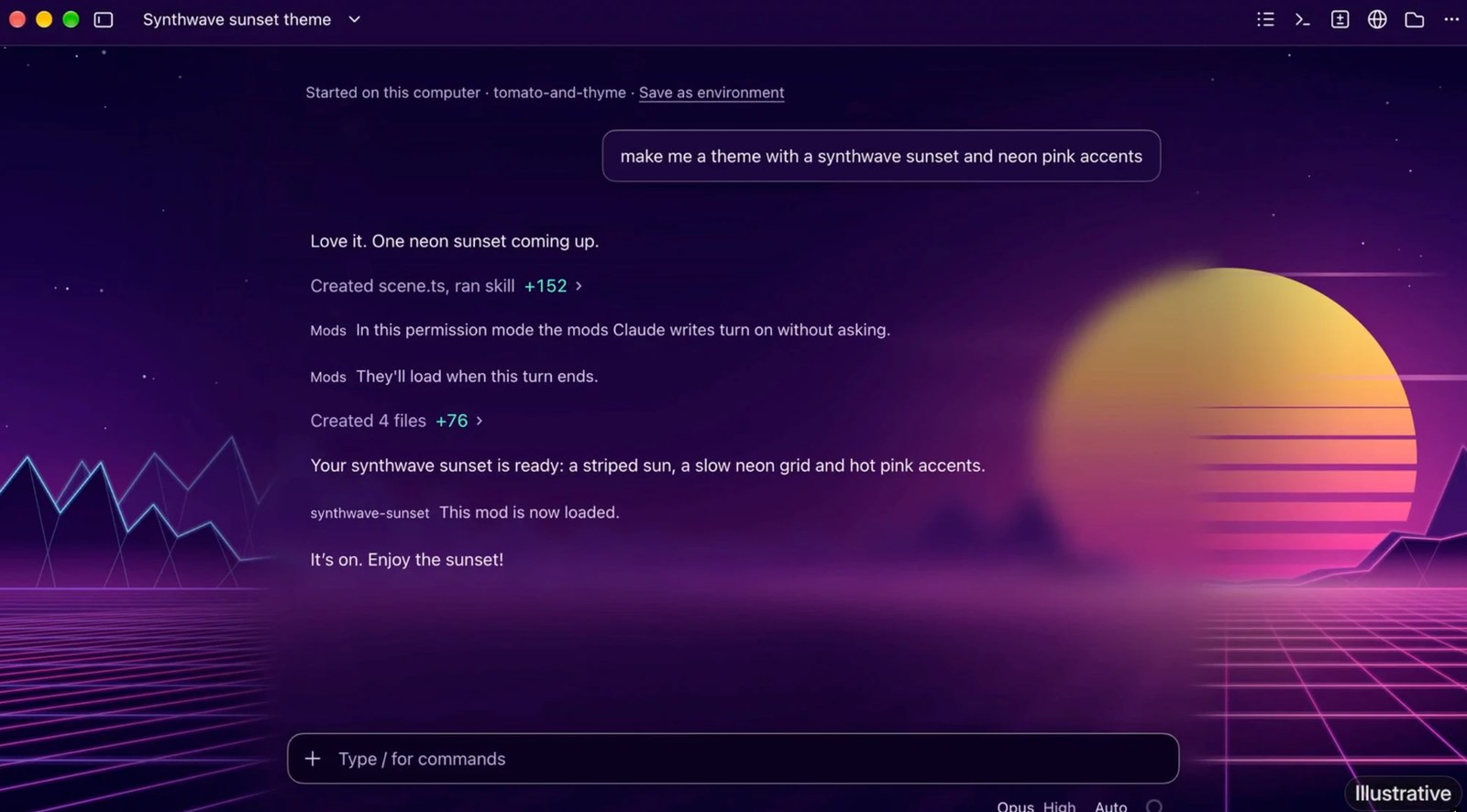
The image above is an illustrative example from Anthropic. The user asks for a synthwave sunset with neon pink accents, and Claude creates the mod’s files and loads it: a striped sun, a slow neon grid, and hot pink accents.
How to try it
- Update the Desktop app to the latest version and restart it
- Start a local session in the Code tab and tell Claude what theme you want
- Answer Claude Code’s questions about the mod’s files. The mod loads when Claude’s turn ends
To adjust it, tell Claude what to change.
Where it works
- Today: local sessions in the Desktop app
- Coming soon: cloud sessions
- Claude Code in the terminal draws no backdrop and keeps its own colors
Write a theme yourself
According to the mods documentation, a mod sets a theme with $.theme.set and draws the backdrop at the Backdrop render site. $.theme.clear() takes the theme off.
- App colors: a
makeColorsfunction builds a theme from a few colors, for both light and dark mode. It needs Claude Code v2.1.324 or later in the Code tab - One theme per session: a mod that sets a theme replaces the backdrop and colors set by any earlier mod, so use one theme mod at a time
Remove a theme
Turn off the mod first, or it will set its colors again, then start a new local session. If the colors are still there, open Settings from the Code tab, search for code appearance, and select Remove colors.
Get it by email
New articles, Claude updates and community event announcements. Sent occasionally, never often enough to annoy you.
The newsletter is written in Thai