Claude Code gets a new /design skill that hands you artboards before it writes any code
Claude Code adds a /design skill in research preview, bringing Claude Design artboards into the CLI and Desktop. One command gives you several editable design options, then Claude implements the one you pick.
By Nattapon YongpaiboonCo-founder, Claude Thailand Community
What’s changing
ClaudeDevs, Anthropic’s official account for developers, announced on 18 August 2026 that Claude Code can design now, through a new skill called /design, currently a research preview.
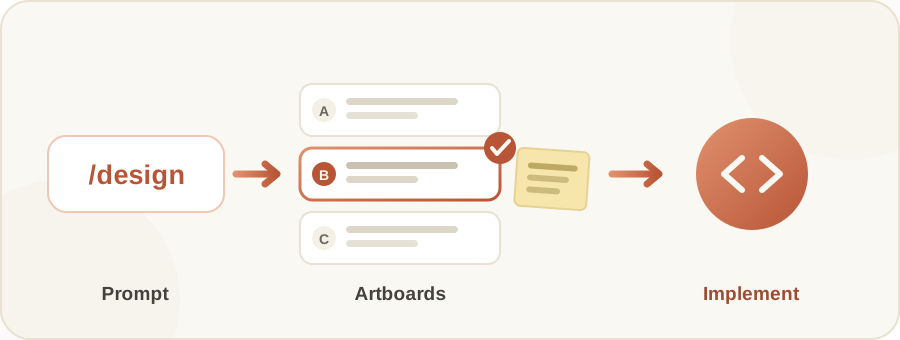
What /design does is bring Claude Design’s artboard workflow into Claude Code itself, on both the CLI and Desktop, built on top of artifacts. Run /design once and you get editable artboards for your UI, several options at a time. Pick the one you like, tweak it, then have Claude implement it in real code.
What Claude Design is
Claude Design is a separate design tool that Anthropic Labs released on 17 April 2026. It puts a chat on the left and a canvas on the right: you describe what you want in the chat, and Claude builds a working design on the canvas. You refine it through chat, through inline comments pinned to the work, or by editing the canvas directly.
The tool is still in beta, and it is available on the Pro, Max, Team and Enterprise plans. On Enterprise it is off by default, so an admin has to turn it on first.
The example Anthropic showed
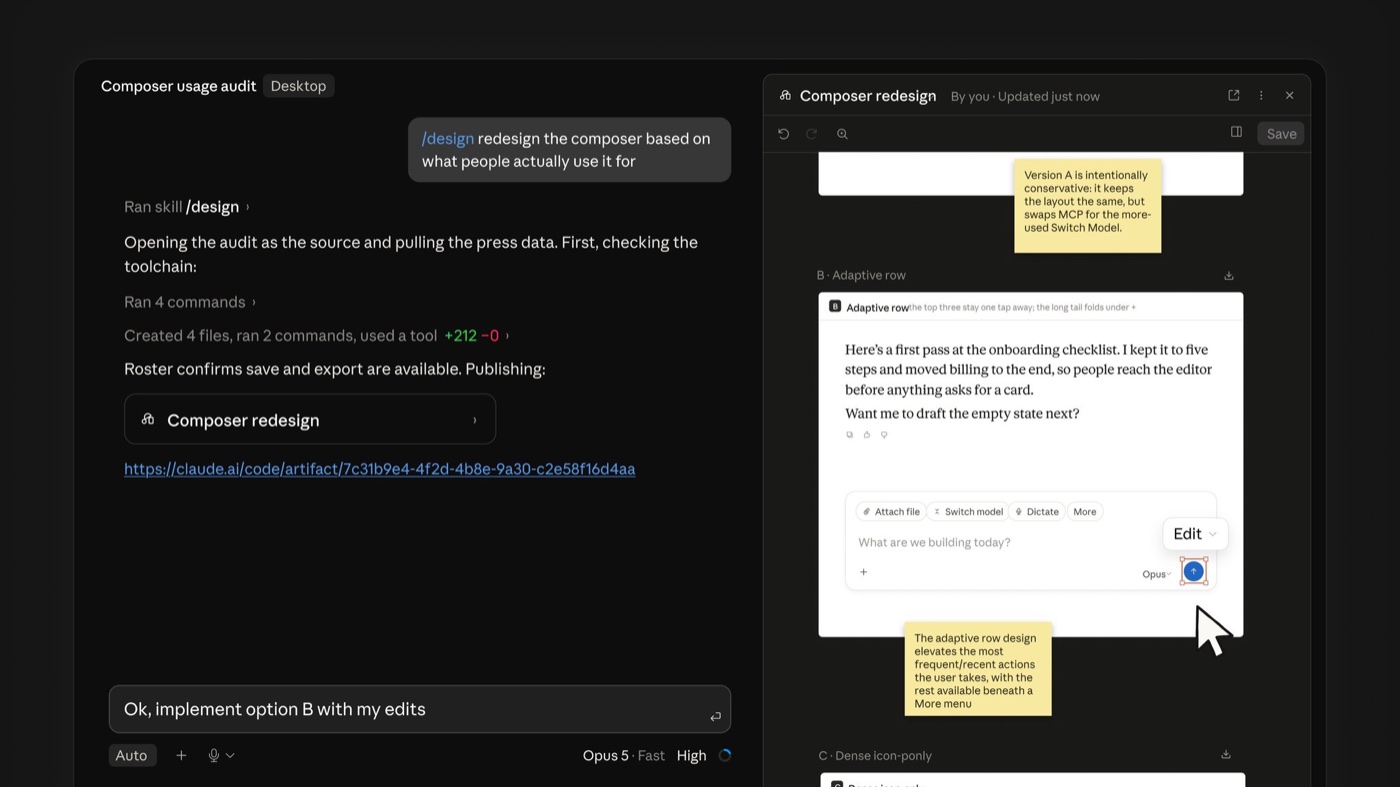
The screenshot shows a case where the user typed /design redesign the composer based on what people actually use it for, asking for a new toolbar on the message composer, grounded in what people actually do with it.
Claude opened the usage audit document it was pointed at as the source first, then produced an artboard named “Composer redesign” that opens as an artifact link. Inside it are several design options, each with a yellow sticky note giving the reasoning behind it.
- Version A is intentionally conservative. It keeps the layout exactly as it is, but swaps MCP out for the more-used Switch Model.
- Version B, “Adaptive row”, elevates the most frequent and most recent actions into the main row, and moves everything else beneath a More menu.
- Version C, “Dense icon-only”, is a tighter option stripped down to icons.
Once a choice is made, the screenshot shows the user typing back into the same chat: Ok, implement option B with my edits, sending Claude off to write the actual code for version B with those changes applied.
Who gets it
It is available on the Pro, Max, Team and Enterprise plans. You need to update Claude Code to the latest version before the command shows up.
How it differs from the existing /design-sync
Claude Code already had two design-related commands, /design-login and /design-sync, and they do a different job from /design.
/design-sync converts the React design system in your repo and uploads it to Claude Design, so the designs Claude produces use your project’s real components instead of ones it invents. The first sync verifies every component and can take a few hours on a large repo. /design-login is what authorises design-system access with your claude.ai account.
Put simply: /design-sync feeds in the raw material, while /design is the part that generates artboards for you to choose from in chat.
The writer’s take
The most interesting part to me is that it doesn’t generate UI out of thin air. It pulls real usage data in as the basis for its design decisions, and writes the reasoning next to every option. That makes it possible for someone who isn’t a designer to still make a sensible call about which one to take.
It is still a research preview, though, so the real test is how it holds up on work more complex than this example. If you’ve tried running /design, come tell us in the group how it went.
Details in this article come from the ClaudeDevs account on X (Twitter), published 18 August 2026, together with Anthropic’s Claude Design documentation and the Claude Code command reference. The screenshot is an official Anthropic image. Read the original post via the source link below.
Get it by email
New articles, Claude updates and community event announcements. Sent occasionally, never often enough to annoy you.
The newsletter is written in Thai