
Claude in Chrome sessions now sync across devices, with a prompt injection warning attached
Claude in Chrome sessions now sync to your account instead of your device, carrying over to desktop and mobile, with a fresh warning about prompt injection risk.
By Nattapon YongpaiboonCo-founder, Claude Thailand Community
What’s changing
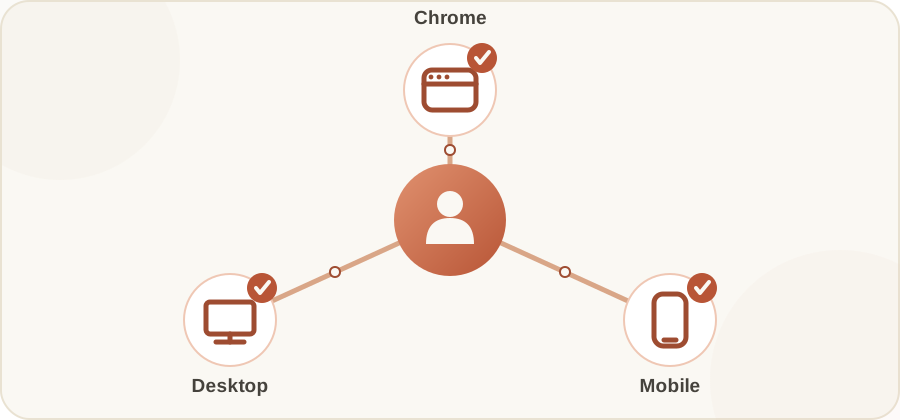
On 13 August 2026, Anthropic announced that the Claude in Chrome side panel now runs the same Claude Cowork session as the desktop, web, and mobile apps.
In practice, the session lives with your account, not with any single device or browser. Start a task in a Chrome tab, then pick it up on desktop, web, or mobile, and the conversation carries over in full. Skills and connectors you’ve set up also work inside the browser. Before this, browser sessions were completely isolated from everything else, and you had to start fresh every time you switched devices.
Who gets it
Available on Max and Team plans today, rolling out to Pro in the coming weeks.
The warning that came with it: prompt injection risk
On the same day, Anthropic separately warned that Claude in Chrome is a “browser agent,” which carries risk from prompt injection - instructions hidden in web content designed to trick Claude into taking actions the user never intended.
Per Anthropic’s “Use Claude in Chrome Safely” documentation, this is described as the single biggest risk facing browser-using AI tools. The current configuration reduces attack success rates to under 0.08% in Anthropic’s internal testing, but the article is explicit that the risk is not zero, and novel attacks may still emerge.
Two approval modes
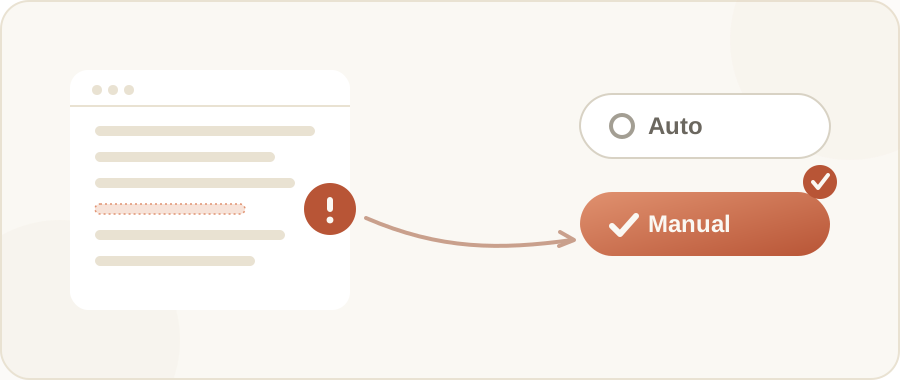
- Automatically approve - the side panel’s default. Claude screens its own actions and only pauses to ask when something needs approval.
- Manually approve - you review every action before Claude executes it.
Anthropic recommends switching to Manually approve for higher-risk tasks or unfamiliar websites - it’s not a blanket recommendation to use that mode all the time.
Safety habits Anthropic recommends
- Start with websites you trust; avoid unfamiliar ones.
- Stay alert for suspicious behaviour, and stop the task immediately if Claude does something unexpected.
- Use a separate browser profile without access to sensitive accounts.
- Avoid using it for financial accounts, legal documents, medical information, or sensitive work data.
- Don’t open the extension while viewing sensitive information on screen.
The writer’s take
The cross-device sync is genuinely convenient in my view, but once Claude becomes an agent that clicks around the web on its own, the risk is a different kind from a regular chat session. Personally, I’d keep Manually approve on, at least while you’re still getting a feel for it, especially on sites you don’t already trust.
Details in this article come from the Claude account on X (Twitter) and Anthropic’s “Use Claude in Chrome Safely” documentation, published 13 August 2026. Read the original post via the source link below.
Get it by email
New articles, Claude updates and community event announcements. Sent occasionally, never often enough to annoy you.
The newsletter is written in Thai